WooCommerce Products
Overview
WooCommerce Products shows products from the connected WooCommerce store.
Use this page to review website product records, open a WooCommerce product detail page, and update the WooCommerce regular price for a product.
This page is for website products. Local POS product setup is handled separately in the Products Setup section.
Accessing WooCommerce Products
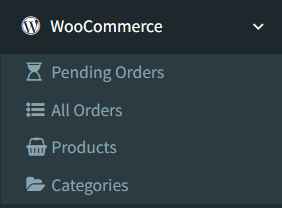
Open WooCommerce -> Products.
The WooCommerce menu appears only when WooCommerce is enabled and the user has access to WooCommerce pages.
Products List
The Products list loads products from WooCommerce.
Visible columns include:
- ID
- SKU
- Name
- Price
- Stock
- View action
Click the eye button to open the product details page.

Searching or Filtering Products
No active WooCommerce Products search or filter control was confirmed in the current list view.
Use the visible list columns to review the product records. If the product list is long, use WooCommerce product IDs or SKUs as the main reference when comparing website products to local products.
Product Sync Actions
The active WooCommerce Products page supports these product actions:
- Open a product details page from the list.
- Change the WooCommerce product regular price from the product details page.
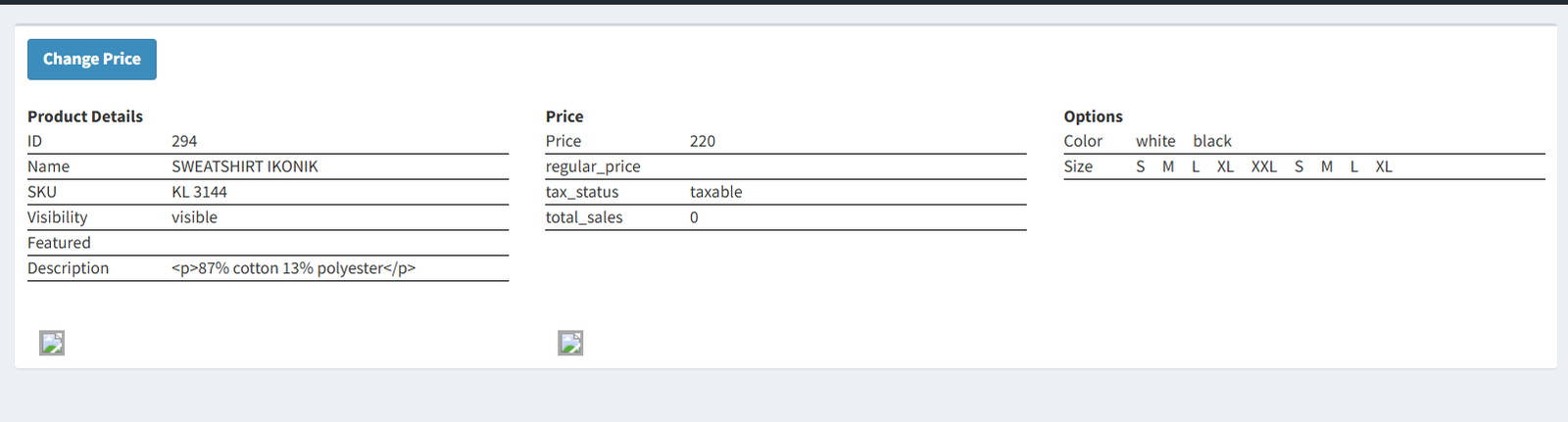
The product details page shows product details, price details, product attributes, and product images returned from WooCommerce.
Confirmed displayed details include:
- Product ID
- Name
- SKU
- Catalog visibility
- Featured status
- Description
- Price
- Regular price
- Tax status
- Total sales
- Attributes and options
- Product images
Stock Synchronization
WooCommerce stock synchronization is handled separately from the WooCommerce Products list.
The system has a scheduled WooCommerce stock sync that checks linked local items and updates WooCommerce product or variation stock when the calculated local stock differs from the last synced stock. The scheduled sync runs every ten minutes when the scheduler is active.
Company Info also includes Force Full WooCommerce Sync. Use that button when an administrator needs to push a full stock refresh for linked WooCommerce products.
Do not treat stock sync as immediate after every local stock change. The WooCommerce Products page itself does not show a stock sync button.
Difference Between Local Products and WooCommerce Products
Local products are managed in Products Setup. Those records are the POS and inventory records used for sales, purchases, labels, and local stock.
WooCommerce Products shows website products from the WooCommerce API. These records are used to review what exists online and update the website regular price from the WooCommerce product detail page.
Use local Products Setup for local catalog maintenance. Use WooCommerce Products for reviewing website product data and making confirmed WooCommerce-side price changes.
- Confusing WooCommerce Products with local Products Setup.
- Expecting local product fields to be edited from the WooCommerce Products page.
- Expecting stock to sync immediately from this page.
- Changing the WooCommerce price without confirming the matching local product.
- Looking for category, image, or discount editing actions on this page. Those actions were not confirmed in the active WooCommerce Products UI.
Troubleshooting
The WooCommerce menu is missing.
Check that WooCommerce is enabled in Company Info and that the user has WooCommerce access.
WooCommerce Products does not open.
Check the WooCommerce Store URL, Consumer Key, and Consumer Secret. The page is protected by the WooCommerce integration configuration check.
A product is missing from the list.
Confirm that the product exists in WooCommerce and that the WooCommerce API connection is working.
The product stock shown online looks outdated.
Use Force Full WooCommerce Sync from Company Info, and confirm that the scheduled sync and queue are running.
The price did not update.
Open the product details page again and confirm the regular price. If it still did not change, check the WooCommerce API connection and user access.